


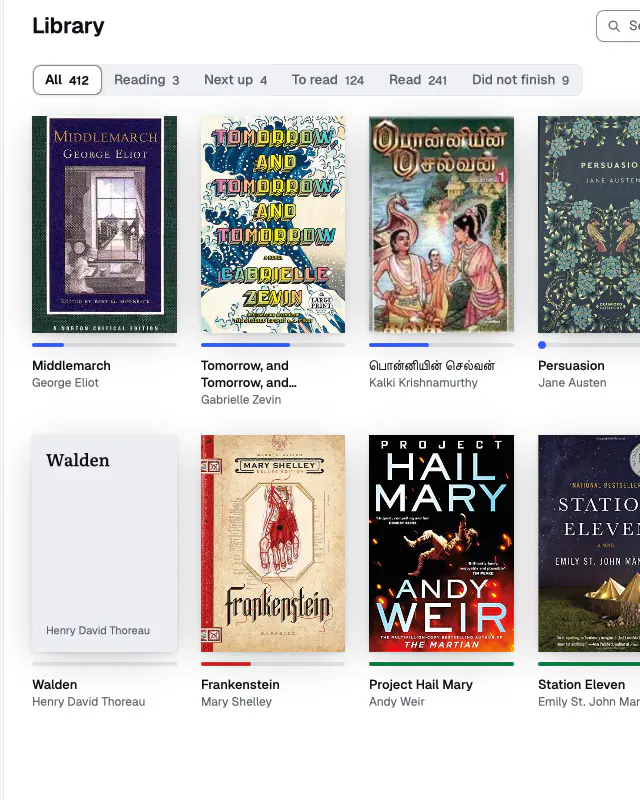
Show your books as covers or as a list. Filter by status, shelf, author, series, language, or format, and the search finds titles, authors, and series while you type.

For Mac and Linux
An ebook library and reader that syncs with your e-reader.
Readwyn imports your calibre library in one step and opens EPUB, MOBI, AZW3, and PDF in its own reader. Plug in your e-reader to send it books and bring its highlights, notes, and progress into your library.
What Readwyn does
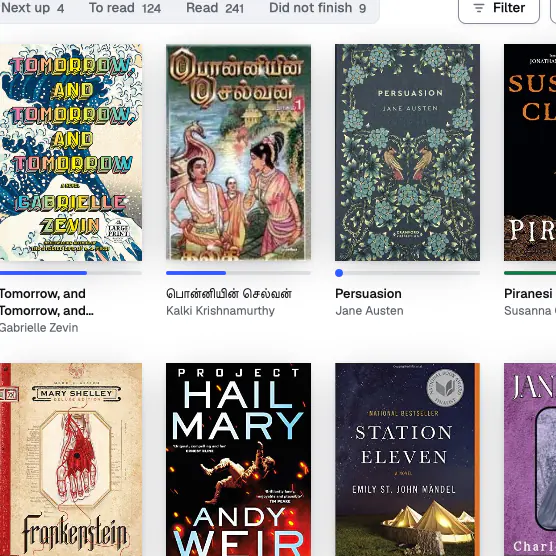
The library
Your ebooks and comics in one place, brought over from calibre or added as files.

The reader
Readwyn’s own reader, with highlights, notes, and a dictionary that works offline.
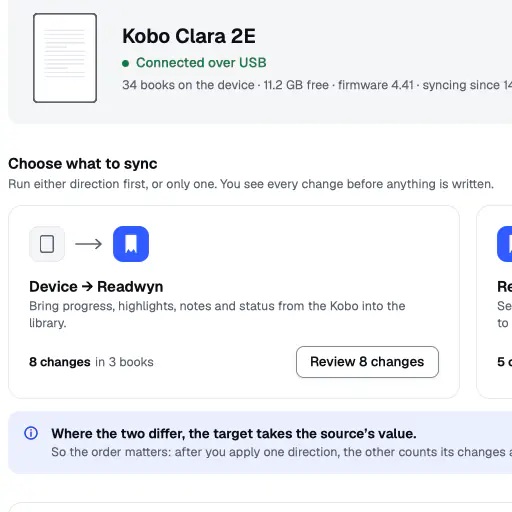
E-readers and other computers
Sync with your e-reader and with Goodreads, and open your libraries from other computers and reader apps.
Contents
The library
The reader
E-readers and other computers
The library
Browse and filter your books


Coming from calibre
Choose your calibre library and Readwyn imports it once, with covers, files, ratings, reviews, identifiers, and your Kobo and Goodreads data. Before it starts, it tells you how many books it found and about how long the import will take. The import runs in the background, so you can keep reading while the books arrive.


EPUB, MOBI, AZW3, and PDF
Click “Add books” or drop the files on the window. Readwyn converts MOBI, AZW3, and PDF files to EPUB 3 when you add them, so they open in its reader, and it keeps the original file unchanged. A book with DRM is not converted.

Comics and manga
Comics, manga, and graphic novels go in the same library as your ebooks, as CBZ, CB7, or CBT files. Read them a page at a time or as two-page spreads, and manga reads right to left.


Walk through your library
Step into a 3D library with your own books on the shelves. Walk around, take a book out, and carry it to a reading table, where it opens in the reader. The room grows with your library, from a reading nook to a grand hall.


On the blog: Walk through your books in a 3D library
The reader
Books laid out as pages
In a wide window you read two pages side by side, with running heads, page numbers, and hyphenation for English, set in Literata or another font you pick. “Continue reading” opens the book where you stopped, and the book screen shows how long the rest will take at your reading speed.

Private reading
Choose “Read privately” and Readwyn saves nothing for that session: no progress, no dates, no time read, and nothing goes to Goodreads.


Highlights and notes
Drag across words to highlight them in one of four colours, or add a note. The Notebook keeps every highlight in reading order, grouped by chapter. Highlights from your e-reader come in with a sync.


Look up a word
Press and hold a word to see what it means, from the macOS Dictionary or from Wiktionary, which Readwyn downloads so it works offline. The speaker button says the word aloud.

My Words
Save a word to My Words from the lookup. The Notebook lists your saved words, each with the book you found it in.
Find in the book
Search the open book for any text, also inside words. Each match shows its chapter, its page, and the words around it, and you can always go back to the page you started from.


Listen and accessibility
Click “Listen” and a voice reads the book aloud from your page. The word it speaks is marked, and the page turns with the voice. The voices run on this computer with no network: download the ones you want, Natural or Standard, in English, Spanish, French, German, Chinese, or seven other languages. “Create audiobook” speaks a whole book in the background.

Screen readers
VoiceOver on the Mac and Orca on Linux read each control with its name and its state, and the page by line, word, and character. They find the headings, lists, tables, and images of a page. VoiceOver’s read-all and Orca’s Say All read a whole chapter, and the pages turn as they read.
Maths
Formulas are drawn in the reader font, with fractions, roots, sums, integrals, and matrices. A screen reader and Listen speak each one in words: “the fraction x plus 1, over 2, end fraction”.

Reading stats
See how much you read by week, month, year, or all time: the time you read, the books you finished, your streak, and your reading speed.


Light, dark, and five accents
Choose Light, Dark, or “Match the Mac”, and one of five accent colours: Cobalt, Mint, Ember, Lime, or Magenta.

On the blog: Dark mode for reading ebooks on a Mac
E-readers and other computers
Sync with your e-reader
Connect your e-reader and send it books; Readwyn converts them on the way to a format the device reads. Highlights, notes, and progress come back into your library. You see every change before it is applied, and Readwyn backs up the device’s reading data before a sync changes it.
What syncs in each direction depends on the e-reader, and the Sync screen shows what yours supports.
Goodreads sync
Readwyn also syncs your shelves, ratings, reviews, progress, and dates read with Goodreads.


Your libraries on another computer
Keep your libraries on one Mac or on a Readwyn server, and open them from another computer on your home network. Pair them with a 6-digit code and choose what the other computer can do.
Reader apps
Turn on sharing with reader apps, and an OPDS app such as KOReader or Thorium on your phone, tablet, or e-reader can browse your libraries and download books over your home network.


Also on Linux
Readwyn runs on Linux, on x86_64 and arm64, with every feature of the Mac version. It installs from a deb or rpm package. To keep your libraries on a NAS or a home server, there is also a server that runs without a display.
There is no apt or dnf repository. Instead, the app checks readwyn.com once a day and shows a card in the sidebar when a new version is out. The check sends nothing about you or your library.

